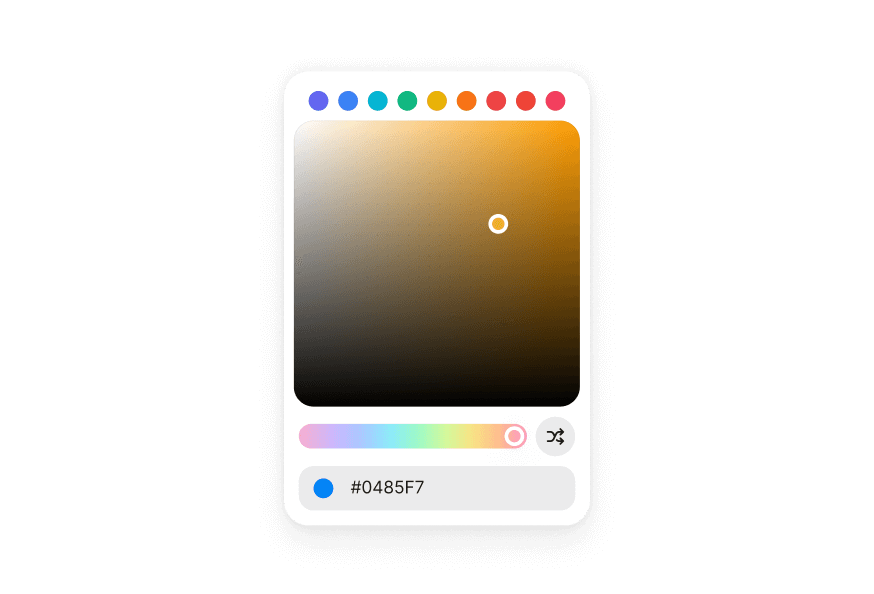
ColorSliderNew
A color slider allows users to adjust an individual channel of a color value
Import
import { ColorSlider, Label } from '@heroui/react';Usage
import {ColorSlider, Label} from "@heroui/react";

export function Basic() {
  return (
<ColorSlider channel="hue" className="w-full max-w-xs" defaultValue="hsl(0, 100%, 50%)">Anatomy
Import the ColorSlider component and access all parts using dot notation.
import { ColorSlider, Label } from '@heroui/react';

export default () => (
  <ColorSlider channel="hue" defaultValue="hsl(0, 100%, 50%)">
    <Label>Hue</Label>
    <ColorSlider.Output />
    <ColorSlider.Track>
      <ColorSlider.Thumb />
    </ColorSlider.Track>
  </ColorSlider>
)
Vertical
import {ColorSlider} from "@heroui/react";

export function Vertical() {
  return (
<div className="flex h-48 gap-4">Disabled
import {ColorSlider, Label} from "@heroui/react";

export function Disabled() {
  return (
<ColorSliderControlled
Current color: hsl(200, 100%, 50%)
"use client";

import {ColorSlider, ColorSwatch, Label} from "@heroui/react";
import {useState} from "react";
import {parseColor} from "react-aria-components";HSL Channels
Use multiple ColorSliders to control different channels of a color value. The sliders can share the same color value to create a complete color picker.
Current color: hsl(0, 100%, 50%)
"use client";

import {ColorSlider, ColorSwatch, Label} from "@heroui/react";
import {useState} from "react";
import {parseColor} from "react-aria-components";Alpha Channel
The alpha channel slider shows a transparency checkerboard pattern to help visualize the transparency level.
import {ColorSlider, Label} from "@heroui/react";

export function AlphaChannel() {
  return (
<ColorSlider channel="alpha" className="w-full max-w-xs" defaultValue="hsla(0, 100%, 50%, 0.5)">RGB Channels
You can also use RGB color space with red, green, and blue channels.
Current color: rgb(255, 100, 50)
"use client";

import {ColorSlider, ColorSwatch, Label} from "@heroui/react";
import {useState} from "react";
import {parseColor} from "react-aria-components";Styling
Passing Tailwind CSS classes
import { ColorSlider, Label } from '@heroui/react';

function CustomColorSlider() {
  return (
    <ColorSlider channel="hue" defaultValue="hsl(0, 100%, 50%)" className="w-full">
      <Label>Hue</Label>
      <ColorSlider.Output className="text-muted text-sm" />
      <ColorSlider.Track className="h-6 rounded-full">
        <ColorSlider.Thumb className="size-5 rounded-full border-2 border-white" />
      </ColorSlider.Track>
    </ColorSlider>
  );
}
Customizing the component classes
To customize the ColorSlider component classes, you can use the @layer components directive.
Learn more.
@layer components {
  .color-slider {
    @apply flex flex-col gap-2;
  }

  .color-slider__output {
    @apply text-muted text-sm;
  }

  .color-slider__track {
    @apply relative h-5 w-full rounded-full;
  }

  .color-slider__thumb {
    @apply size-4 rounded-full border-3 border-white shadow-overlay;
  }
}
HeroUI follows the BEM methodology to ensure component variants and states are reusable and easy to customize.
CSS Classes
The ColorSlider component uses these CSS classes (View source styles):
Base Classes
.color-slider- Base slider container.color-slider__output- Output element displaying current value.color-slider__track- Track element with color gradient.color-slider__thumb- Thumb element showing current color
State Classes
.color-slider[data-disabled="true"]- Disabled slider state.color-slider[data-orientation="vertical"]- Vertical orientation.color-slider__thumb[data-dragging="true"]- Thumb being dragged.color-slider__thumb[data-focus-visible="true"]- Thumb keyboard focused.color-slider__thumb[data-disabled="true"]- Disabled thumb state
Interactive States
The component supports both CSS pseudo-classes and data attributes for flexibility:
- Hover:
:hoveror[data-hovered="true"]on thumb - Focus:
:focus-visibleor[data-focus-visible="true"]on thumb - Dragging:
[data-dragging="true"]on thumb - Disabled:
:disabledor[data-disabled="true"]on slider or thumb
API Reference
ColorSlider Props
Inherits from React Aria ColorSlider.
| Prop | Type | Default | Description |
|---|---|---|---|
channel | ColorChannel | - | The color channel that the slider manipulates (hue, saturation, lightness, brightness, alpha, red, green, blue) |
colorSpace | ColorSpace | - | The color space (hsl, hsb, rgb). Defaults to the color space of the value |
value | string | Color | - | The current color value (controlled) |
defaultValue | string | Color | - | The default color value (uncontrolled) |
onChange | (value: Color) => void | - | Handler called when the value changes during dragging |
onChangeEnd | (value: Color) => void | - | Handler called when dragging ends |
orientation | "horizontal" | "vertical" | "horizontal" | The orientation of the slider |
isDisabled | boolean | - | Whether the slider is disabled |
name | string | - | The name of the input element for form submission |
aria-label | string | - | Accessibility label for the slider |
className | string | - | Additional CSS classes |
children | ReactNode | RenderFunction | - | Slider content or render function |
ColorSlider.Output Props
| Prop | Type | Default | Description |
|---|---|---|---|
className | string | - | Additional CSS classes |
children | ReactNode | RenderFunction | - | Output content or render function |
ColorSlider.Track Props
| Prop | Type | Default | Description |
|---|---|---|---|
className | string | - | Additional CSS classes |
style | CSSProperties | RenderFunction | - | Inline styles or render function |
children | ReactNode | RenderFunction | - | Track content or render function |
ColorSlider.Thumb Props
| Prop | Type | Default | Description |
|---|---|---|---|
className | string | - | Additional CSS classes |
style | CSSProperties | RenderFunction | - | Inline styles or render function |
children | ReactNode | RenderFunction | - | Thumb content or render function |
RenderProps
When using render functions, these values are provided:
| Prop | Type | Description |
|---|---|---|
state | ColorSliderState | The state of the color slider |
color | Color | The current color value |
orientation | "horizontal" | "vertical" | The orientation of the slider |
isDisabled | boolean | Whether the slider is disabled |
Accessibility
The ColorSlider component implements the ARIA slider pattern and provides:
- Full keyboard navigation support (Arrow keys, Home, End, Page Up/Down)
- Screen reader announcements for value changes
- Proper focus management
- Support for disabled states
- HTML form integration via hidden input elements
- Internationalization support with locale-aware value formatting
For more information, see the React Aria ColorSlider documentation.